
Claude Memory in 2026: What It Remembers (and What It Forgets)
How Claude memory works in 2026: what it saves, past-chat search, Projects, and Claude Code, plus how to give Claude memory of everything you read and watch.
Claude remembers more than it used to. It knows your job, your ongoing projects, how you like answers formatted, and — on paid plans — it can dig up a conversation you had three weeks ago. Ask it something and it no longer starts from zero.
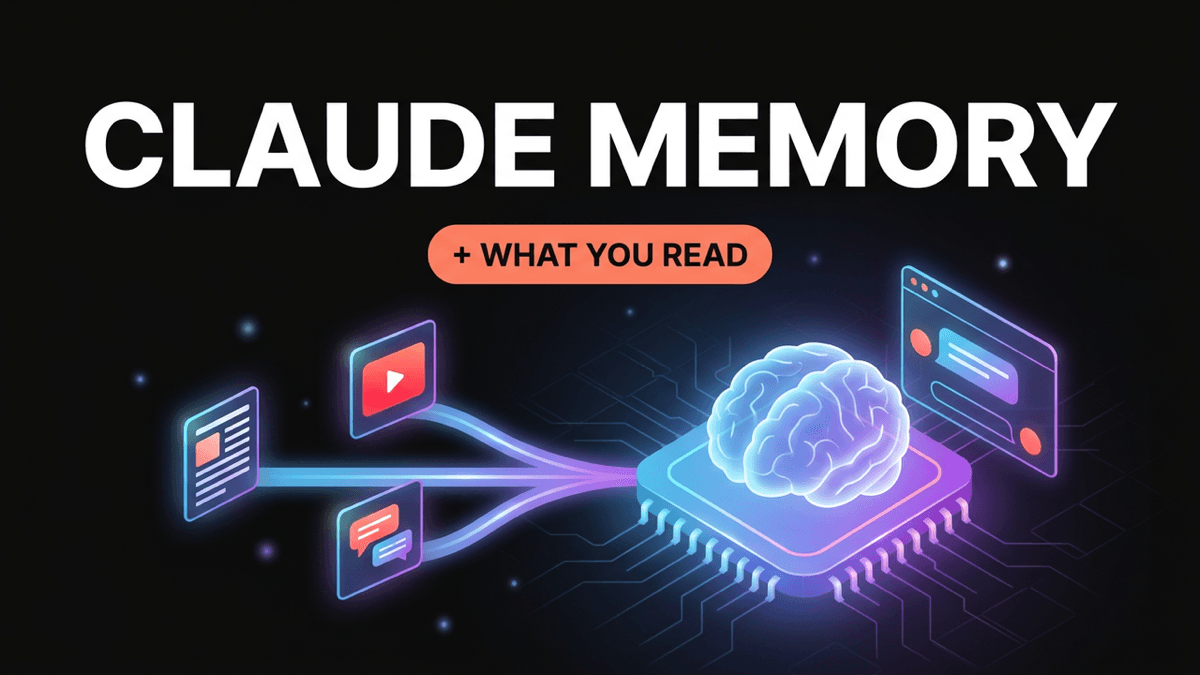
But there is a gap almost nobody notices until they hit it. Ask Claude "what was that article I read last month about pricing?" and it has no idea. Claude's memory is built from your conversations with Claude. Everything you read, watch, and save everywhere else — the articles, YouTube videos, X threads, and Reddit posts that shaped your thinking — is invisible to it.
This guide explains exactly how Claude memory works in 2026: what it saves, what past-chat search does, how Projects and Claude Code handle memory differently, what memory still can't do, and how to close the gap so Claude can draw on everything you've actually consumed.
How Claude Memory Works in 2026
"Claude memory" is really five separate features that people lump together. Knowing which is which saves a lot of confusion.
| Feature | What it remembers | Where it lives | Plans |
|---|---|---|---|
| Chat memory | Facts about you, your work, and preferences, pulled from your chats | claude.ai, desktop, mobile, Cowork | All plans (on by default for Free, Pro, Max) |
| Search and reference chats | Your actual past conversations, retrieved on request | claude.ai | Pro, Max, Team, Enterprise |
| Projects | Files you upload + a separate memory per project | claude.ai | All plans (Free capped at 5 projects) |
| Claude Code memory | CLAUDE.md instructions + auto-saved learnings | Files on your machine | Claude Code users |
| API memory tool | Whatever a developer's app stores | The developer's own storage | API developers |
Chat memory: what Claude saves about you
Anthropic rolled memory out to Team and Enterprise in September 2025, to Max and Pro that October, and to the Free plan on March 2, 2026. On Free, Pro, and Max it is on by default.
In July 2026 Anthropic changed how it works. The old version wrote a single summary of you roughly once a day. The current version saves individual memories, grouped into Topics, while you chat — your role, the people you mention, ongoing projects, your working style. You can also just say "remember that I prefer TypeScript" and it will.
You can see and edit everything under Settings → Memory → Topics: change a memory, delete it, or ask Claude in plain language to forget something. Some Team and Enterprise organizations are still on the older daily-summary system, so if your memory looks like one long paragraph instead of Topics, that's why.
In August 2026 Anthropic also unified memory across Claude chat and Cowork, so context you build in one carries into the other (local Cowork sessions are the exception).
Search and reference chats: Claude looking back
This is a different mechanism, and it's the one that feels most like "real" memory. On paid plans, you can ask Claude to "continue what we were working on about the launch plan" and it will search your past conversations, pull the relevant ones, and link back to them.
The key difference: chat memory keeps a handful of distilled facts; chat search retrieves the original conversation. It searches either your non-project chats or the chats inside one project — not across projects. You can switch it off separately under Settings → Memory → Search and reference chats.
Incognito and memory-off chats
Click the ghost icon to start an incognito chat: it isn't saved to your history, adds nothing to memory, and can't be found by chat search later. If you just want one chat to not use or add memory, toggle Memory off in the + menu before your first message — that chat still stays in your history, though.
Claude Projects and Memory
Projects are the other half of how people give Claude long-term context, and they work differently from chat memory.
Each project has its own memory space, separate from your other projects and your regular chats. That's deliberate: what you discuss in your "Q4 launch" project doesn't leak into your "personal finance" project.
Projects also have project knowledge — files you upload once so every chat in the project can use them. A few limits worth knowing:
- Each file can be up to 30 MB.
- Free accounts get 5 projects.
- On paid plans, when project knowledge gets close to the context limit, Claude switches to retrieval (RAG), which expands capacity by up to 10x by pulling in the relevant parts of your files instead of all of them.
The catch: project knowledge only contains what you manually upload. If you want Claude to know about the 40 articles you read on a topic, you have to find, export, and upload each one — and do it again every time you read something new. For a deeper comparison, see Claude Projects vs ChatGPT Projects.
Claude Code Memory: CLAUDE.md and Auto Memory
If you use Claude Code, memory works through files on your machine rather than claude.ai settings:
CLAUDE.mdfiles hold instructions Claude loads at the start of every session. They can live at the user level (~/.claude/CLAUDE.md), in a repository, or in a subfolder. Think of them as standing context, not enforced rules.- Auto memory lets Claude write down learnings and corrections as it works, into per-project files under
~/.claude/projects/<project>/memory/. At startup it loads the first 200 lines (or 25 KB) of theMEMORY.mdindex, and opens individual topic files only when they're relevant.
This is separate from your claude.ai memory. What Claude Code learns about your codebase doesn't show up in the Claude app, and vice versa.
The Claude API Memory Tool
For developers, Anthropic's API has a memory tool (memory_20250818). Claude can request to view, create, edit, or delete memory files, but your application executes those operations and owns the storage. It's a building block for apps that need to persist knowledge across sessions, and it pairs with context editing and compaction for long-running agents. It does not give an API app access to a user's claude.ai memories.
What Claude Memory Doesn't Do
This is where most people's expectations break. Claude memory is genuinely useful, but it has hard boundaries:
- It only learns from Claude conversations. Claude doesn't see the articles you read in your browser, the YouTube videos you watch, the threads you bookmark on X, or the PDFs sitting in your downloads. Unless you paste something into a chat or upload it to a project, Claude never knows it existed.
- It's a set of distilled facts, not an archive. Memory keeps "works in product marketing, prefers bullet points." It doesn't keep the full text of what you discussed. Chat search helps, but only within its boundaries (and only on paid plans).
- It isn't perfect recall. Anthropic is clear that memory, chat search, and project retrieval surface relevant material — they can miss things. For anything important, check your Topics or point Claude at the original source.
- Some things are excluded on purpose. Incognito chats are never saved, sensitive topics are excluded by default, and items like government ID and financial account numbers can't be saved even if you ask.
- Memory doesn't travel between surfaces. claude.ai memory, project memory, and Claude Code memory are three separate stores.
Point 1 is the big one. The most valuable context you have — years of reading and watching — sits completely outside Claude's memory.
Turn everything you save into memory Claude can search
Save articles, YouTube videos, X threads, and Reddit posts to Noverload. Then connect it to Claude over MCP and ask questions across all of it.
10 free saves · No credit card required
How to Give Claude Memory of Everything You've Read
There are three realistic ways to get outside knowledge into Claude, and they scale very differently.
Option 1: Paste it in (fine for one item)
Copy the article or transcript into a chat. Simple, free, and works for a single piece. But it's gone from active context once the chat ends — chat memory might keep a one-line fact about it, at most — and it doesn't scale past a handful of items.
Option 2: Upload it to a Project (fine for a fixed set)
Export the articles as PDFs, upload them to project knowledge, and every chat in that project can use them. This works well for a stable set of reference docs. It works badly for an ongoing reading habit, because every new article means another manual export and upload, and the knowledge is locked inside that one project.
Option 3: Connect a knowledge base over MCP (scales with your reading)
MCP (Model Context Protocol) is Anthropic's open standard that lets Claude call external tools during a conversation. Instead of putting your knowledge into Claude, you give Claude a way to search it whenever it needs to.
This is what Noverload is built for. You save content the way you already do — paste a link, use the browser extension, or share from your phone — and Noverload processes each item:
- YouTube videos get a full transcript, summary, and key takeaways
- Articles, X threads, Reddit posts, and PDFs get summarized, tagged, and embedded
- Everything becomes semantically searchable across your whole library
Then you connect Noverload to Claude through the Noverload MCP server. From that point, Claude can search your saves mid-conversation:
- "What have I saved about pricing SaaS products? Summarize the main approaches."
- "Find the video where someone explained their cold email framework."
- "Compare what the three founder interviews I saved said about distribution."
Claude answers from your sources, and because every result comes back with its title and link, it can point you to the original save. Your knowledge base grows every time you save something, with no exporting or uploading.
Setting it up
- Create a Noverload account and save a few things you've been meaning to read.
- In your dashboard settings, create a personal access token.
- Copy the generated config from /mcp into your Claude Desktop or Claude Code config file, and restart.
The same server works in Cursor and other MCP clients, so the knowledge base follows you between tools. MCP access is a Noverload Pro feature (trial users included). For the full walkthrough, see Introducing Noverload MCP.
Claude Memory vs ChatGPT Memory
ChatGPT splits memory into two parts that roughly mirror Claude's:
- Saved memories — facts you've asked ChatGPT to remember or that it decided were useful, similar to Claude's Topics.
- Reference chat history — ChatGPT drawing on relevant past conversations, similar to Claude's chat search.
The practical differences come down to control and transparency. Claude's chat search explicitly retrieves and links to the original conversations, and memory is split cleanly per project. ChatGPT's features vary more by plan and region. Neither one remembers what you read outside the app, and neither offers perfect recall. Both can read from an external knowledge base through MCP or connectors, which is the only way either one learns from your saved content. For more on ChatGPT, see Claude Projects vs ChatGPT Projects.
If you're switching, Claude has an experimental memory import: ask ChatGPT to list what it remembers about you, then paste that into Settings → Memory → Start import. It imports the facts, not your chat history.
FAQ
Does Claude have memory? Yes. Claude remembers facts about you and your work from past chats, on all plans including Free. Paid plans can also search and reference past conversations.
Is Claude memory free? Yes. Memory came to the Free plan on March 2, 2026, and is on by default. Searching past chats requires Pro, Max, Team, or Enterprise.
How do I see what Claude remembers about me? Go to Settings → Memory → Topics. You can edit or delete individual memories there, or ask Claude to forget something.
How do I turn off Claude memory? Pause or reset memory in Settings → Memory. Resetting also deletes project memories. For a single chat, use incognito mode (the ghost icon) or turn Memory off in the + menu before your first message.
Does deleting a chat delete the memory? No. In the current system, deleting a chat doesn't automatically delete memories that came from it. Remove them from Topics directly.
Can Claude remember articles or videos I read outside Claude? Not on its own. Claude's memory only comes from your Claude conversations and files you upload. To give it access to your reading, connect a knowledge base like Noverload through MCP.
Does Claude Code share memory with the Claude app? No. Claude Code uses CLAUDE.md files and auto memory stored on your machine, separate from claude.ai memory.
The Bottom Line
Claude's built-in memory is good at remembering you: your role, your preferences, and what you've discussed with it. Use it, check your Topics now and then, and use incognito for anything you don't want kept.
What it can't remember is what you've learned. The articles, videos, and threads that actually inform your work never pass through Claude, so they never make it into memory. Connecting a knowledge base over MCP closes that gap: everything you save becomes something Claude can search, cite, and build on.
Want Claude to remember what you read? Try Noverload free — save your first articles and videos, then connect them to Claude from /mcp.
Tags
Ready to build your second brain?
Start saving content and give your AI the context it needs.