
Turn your articles, videos & threadsinto an AI-searchable knowledge base
You save things to come back to them—then they vanish into a pile you never reopen.
Noverload turns everything you save into a searchable knowledge base, and a context engine that feeds it straight into Claude, ChatGPT, and Cursor via MCP.
Free to start · 10 saves · no credit card
Real Noverload output — summaries, key insights & action items. See it on your own URL ↓
Save Anything, Never Lose It
One-click capture for YouTube, articles, X threads, Reddit, and PDFs—nothing slips through the cracks
It Becomes Searchable Knowledge
AI summarizes and indexes every save, so you can find any idea by concept—not just keyword
Feed It Straight Into Your AI
Your whole library becomes context for Claude, ChatGPT, and Cursor via MCP—ask questions across everything you've saved
See it in action with your content
Paste a YouTube video, X post, or public article below. We'll extract the content and generate a full AI-powered breakdown — summary, key insights, frameworks, and more.
Paywalled articles and PDFs aren't supported in the preview. Use public URLs for best results.
Your “Read Later” PileIs Growing
247 bookmarks. 89 videos. 156 articles.
All collecting digital dust while you feel guilty for not reading them.
Content Chaos
I know I saved it somewhere... was it Notion? Pocket? Browser bookmarks?
Lost Connections
That video reminds me of an article I read... but where is it?
Analysis Paralysis
So much great content, but what should I actually DO with it?
The Hidden Cost of Information Hoarding
Every saved article is a promise to your future self that you’re breaking
Ready to turn information overload into actionable insights?
How Noverload Works
Save → Extract → Compile → Access
From scattered bookmarks to an AI-compiled personal wiki in four steps.
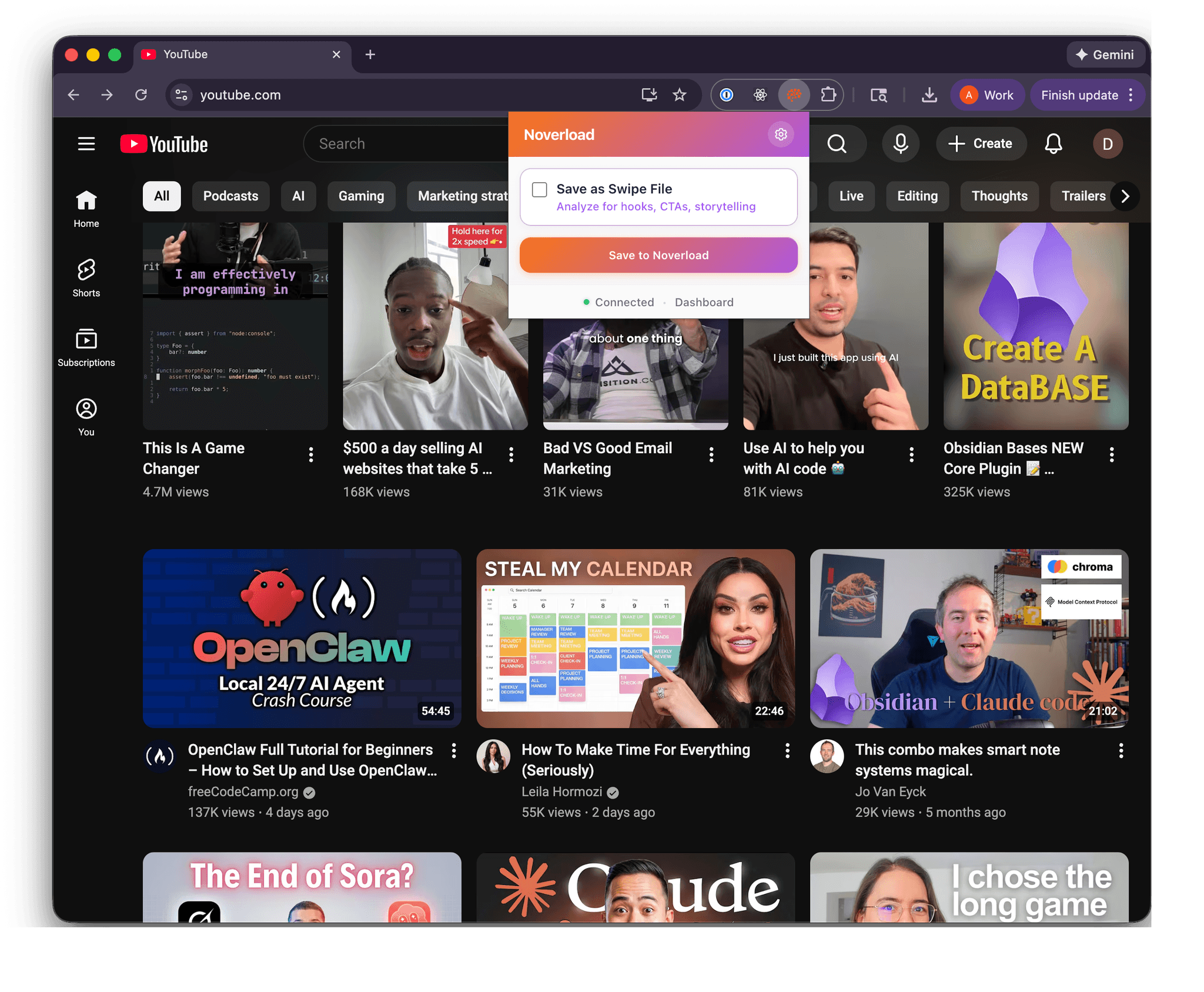
Save With One Click
Use the Chrome extension to save any link instantly - YouTube videos, X posts, Reddit threads, or articles. No copy-pasting URLs.
Insights Extracted Instantly
Content is processed immediately — extracting frameworks, key insights, and summaries. Know if it's worth consuming before investing hours.
Your Wiki Compiles Itself
Related sources auto-compile into concept pages — wiki articles that synthesize insights, find contradictions, and flag knowledge gaps across everything you've saved on a topic.
Query Your Knowledge
Chat with your library directly, or connect via MCP to Claude Desktop, Cursor & more. Ask questions across your saves and compiled concept pages.
Your KnowledgeEverywhere
MCP Integration
Access your second brain directly in Claude, Claude Code, Cursor, and other MCP-enabled tools. No context switching.
Claude Desktop
"Claude: 'What are the most relevant content I've saved about growing a business?'"
Result: Connect ideas across your entire saved content library
Claude Code
"Claude Code: 'Review my landing page and suggest improvements based off my saved content about SEO'"
Result: Claude Code analyzes your entire knowledge base to recommend personalized updates
Cursor IDE
"Cursor: 'Generate a React component based on that design article I saved'"
Result: Your IDE can reference your saved tutorials and documentation
Simple Setup
Get your API key from dashboard
Copy the JSON config from docs
Add to your AI tool's MCP settings
No installation needed - works instantly
Available Day One
- Search your entire knowledge base
- Get content summaries and actions
- Find related content by topic
- Query by goal or date range
- LLM-ready format for all saved content
Your KnowledgeNow Intelligent
Chat with your entire library
Ask questions, find connections, discover insights across all your saved content.
Smart Chat Examples
Semantic Search
Find content by meaning, not just keywords. "That video about morning routines" finds the right content even if you forgot the title.
Context-Aware Answers
Ask about specific content or let AI find connections across everything you've saved. It remembers what you've learned.
Pattern Recognition
Discover themes and patterns you didn't notice. "What productivity advice keeps appearing in my saved content?"
Try It Live
Import your Pocket library and start chatting with your knowledge base after processing.
Get Early AccessYour Saves Become a Personal Wiki
Individual sources get summaries. Concept pages synthesize across all your sources on a topic— showing what you know, what contradicts, and what's missing.
Auto-Compiled Wiki Articles
Save 3+ sources about the same topic and they compile into a structured concept page — organized by theme, not by source.
Grows As You Learn
Every new save is checked against your existing concepts. Matching content is auto-linked and the concept page updates with fresh insights.
Cross-Source Synthesis
Not just summaries — concept pages find where sources agree, disagree, and what frameworks they share. The full picture across everything you've saved.
Contradictions & Gaps
See where your sources contradict each other and spot knowledge gaps — topics mentioned but not covered by any source yet.
“I index source documents into a raw/ directory, then I use an LLM to incrementally compile a wiki... I think there is room here for an incredible new product instead of a hacky collection of scripts.”
— Andrej Karpathy, on LLM Knowledge Bases
Core Features
Give your AI context.
Know what's worth consuming. Extract what matters.
MCP Integration
Connect to Claude Desktop, Cursor, Windsurf & more. Your AI gets instant context about what you're learning.
Chat With Your Notes
Ask 'Is this worth watching?' before investing hours. Compare sources and pull precise answers.
Extract Frameworks
Pull out mental models, processes & actionable steps. Transform content into implementation guides.
Worth Consuming?
Know in seconds if a video, article, or thread is worth your time—no full consumption required.
Concept Pages
Your saves auto-compile into wiki-style concept pages — synthesized across sources with contradictions, frameworks, and knowledge gaps surfaced.
Knowledge That Compounds
Every new save updates your concept pages automatically. Your personal wiki grows as you learn — no manual organizing required.
One-Click Save
Chrome extension for instant saves. YouTube, articles, Reddit, X threads—all in one searchable library.
Built ForBuilders Like You
Recognize yourself?
Turn your bookmarks and watch-later pile into real progress.
Compare theDifference
Not another bookmarking tool.
Built for action, not archiving.
Unlike Notion
We extract ideas, not just store links. Turn content into progress, not another database to manage.
Unlike Raindrop
Goal-focused, not folder-focused. Your content organized by what you want to achieve, not where it came from.
Unlike Pocket
Ideas you'll actually explore, not articles you'll never read. Plus, we help you migrate before it shuts down.
| Feature | Noverload Your Second-Brain Companion | Notion Note-taking | Raindrop Bookmarks |
|---|---|---|---|
| Extract ideas from content | |||
| AI-powered summaries | Goal-aligned | Basic AI | |
| Weekly progress newsletters | |||
| YouTube transcript extraction | |||
| Goal-focused organization | |||
| Bookmark organization | By goals | Databases | Collections |
| Note-taking | |||
| Database features | |||
| Works as companion app | Primary tool | Primary tool |
The Bottom Line: Keep using your favorite tools. Add Noverload to transform passive content consumption into active progress.
Fits YourExisting Workflow
Drop links from anywhere
Import from Pocket, save from any browser, integrate with your tools.
Your Content
YouTube, Articles, X/Twitter
Noverload AI
Extract Ideas & Insights
Your Tools
Notion, Obsidian, etc.
New: Chrome extension now available for one-click saving.
SimplePricing
Free to start. Upgrade when you outgrow it.
10 free saves, no credit card. Go Pro for unlimited — 7-day trial, cancel anytime.
Lock in founding pricing — $10/mo $19 or $99/yr $190. Price rises to $19/mo once these spots are gone.
- Save from YouTube, X, Reddit, articles, PDFs & more
- Unlimited
- Unlimited for tracking progress
- AI summaries, key insights & action items
- Weekly AI reviews & insights
- MCP Integration (Claude, Cursor, Windsurf)
- Advanced search with semantic understanding
- Priority AI processing
- API access & integrations
- 7-day free trial
- Cancel anytime
Questions about pricing? Contact us
Give Your AI
The Context It Needs
Save. Extract. Access from any AI.
Free to start — 10 saves, no credit card.